
Waivers
Waivers signed on arrival. Records kept for life.
A self-service kiosk captures signatures, photos, and medical declarations before guests even reach the counter. No paper. No clipboards. No lost records.
Every waiver captured. Every record searchable.
Kiosk mode
Set up a tablet at reception. Guests walk up, enter their details, and sign their waiver before they even speak to staff. One less job at the morning rush.
Photo and signature capture
Every waiver includes a signed declaration and a photo of the guest. No more disputes about who signed what. The record is timestamped and tamper-proof.
Medical declarations
Capture relevant medical information as part of the waiver flow. Flag conditions that crew need to know about before the dive. Stored securely and accessible only to authorised staff.
Auto-link to bookings
When a guest signs a waiver, Reefline matches them to their booking automatically. No manual data entry. No duplicate records. The waiver follows the guest across every trip they take with you.
Customisable sections
Choose which sections your waiver captures -- personal details, photo, next of kin, dive experience, medical, fitness to dive, or your own custom fields. Turn sections on or off to match your operation.
Permanent storage
Waivers are stored for as long as you need them. No filing cabinets, no water damage, no lost paperwork. Search by name, date, or trip and pull up any waiver in seconds.
The guest experience
Guests walk up to the kiosk, fill in their details, and sign -- all before they reach the counter.
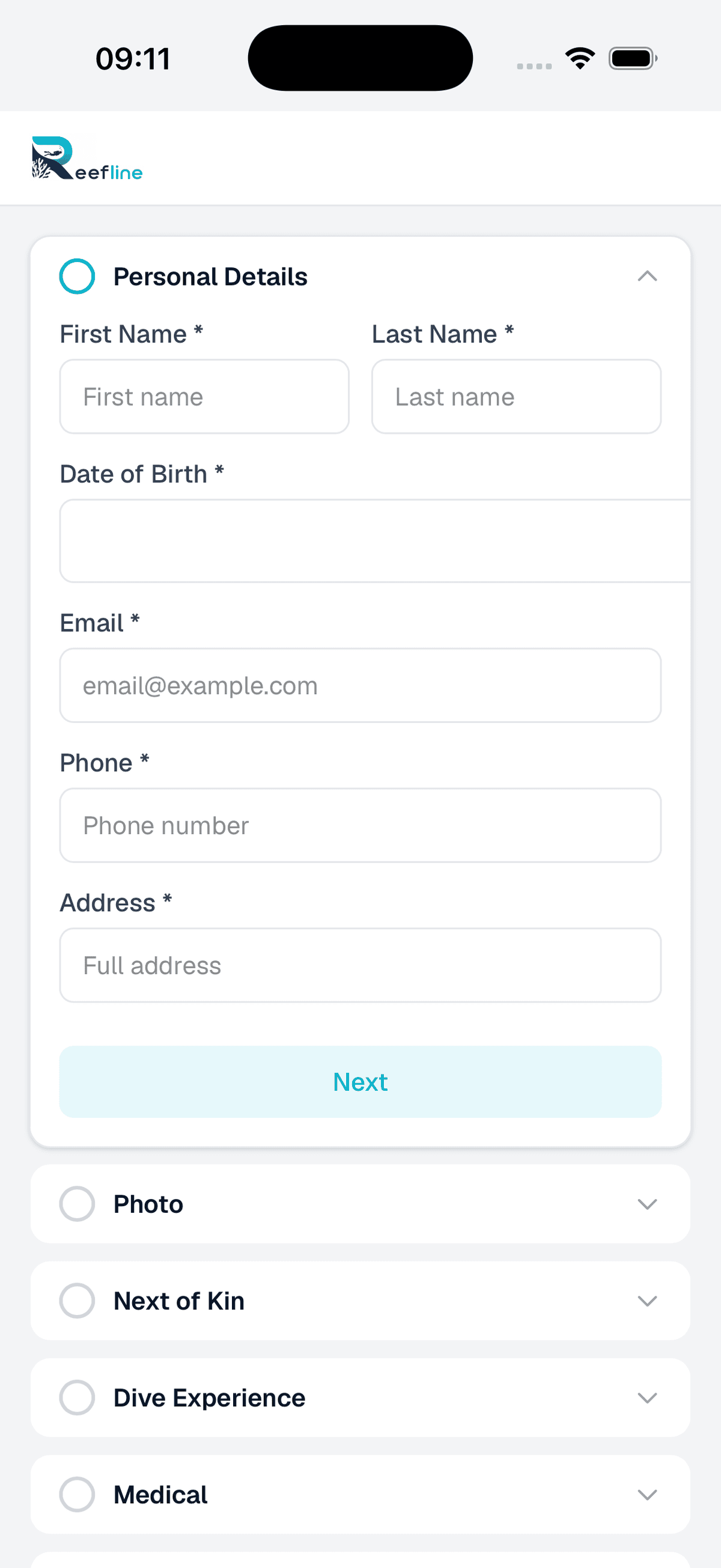
Personal details
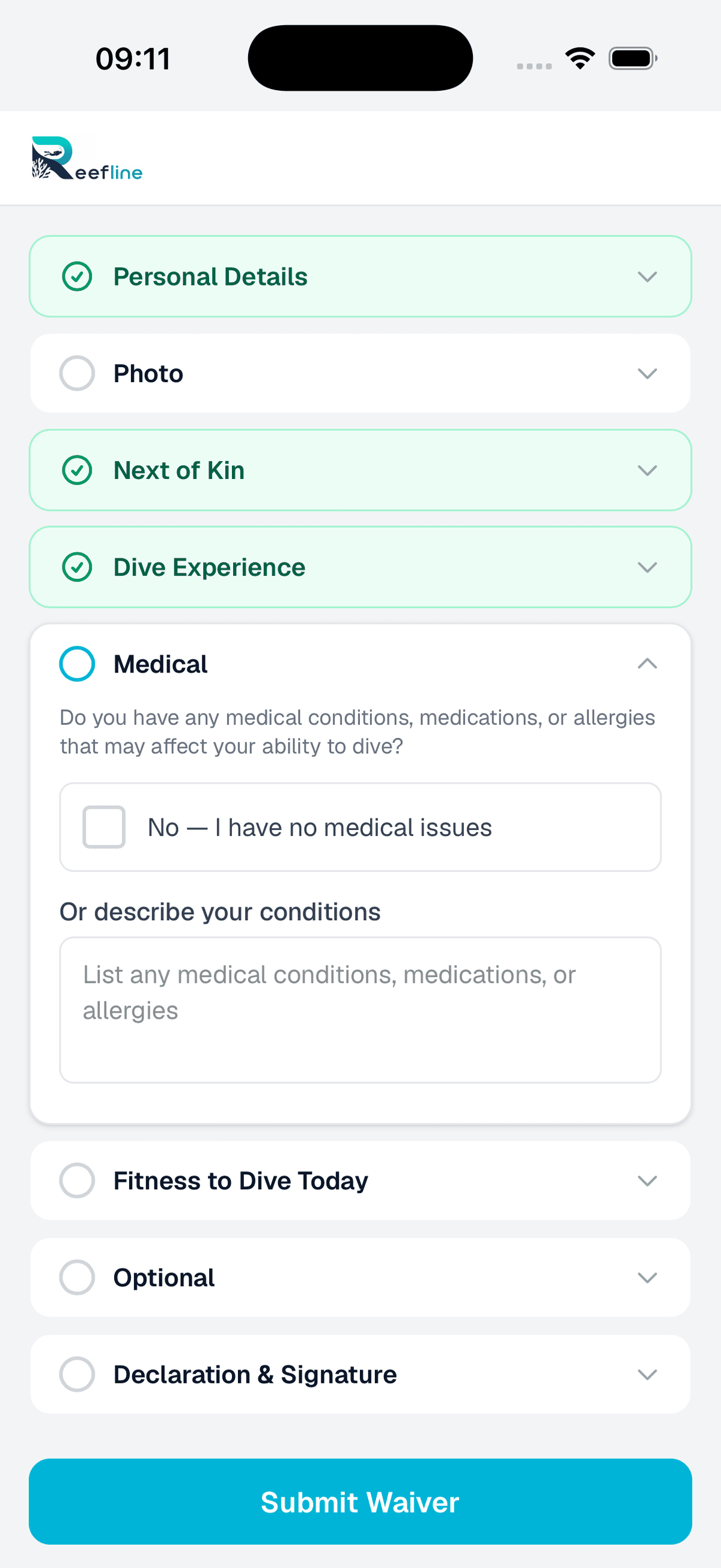
Medical declarations
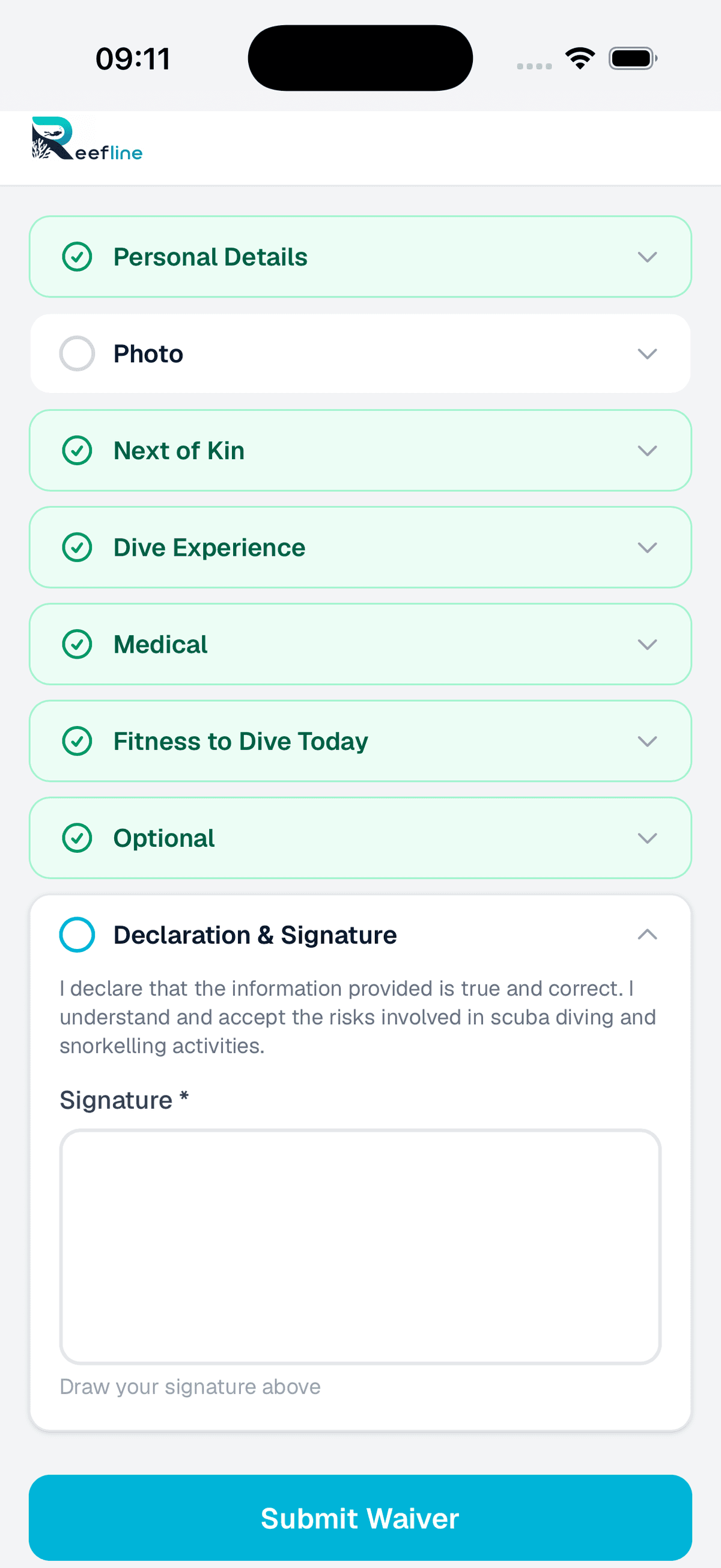
Declaration & signature
The admin view
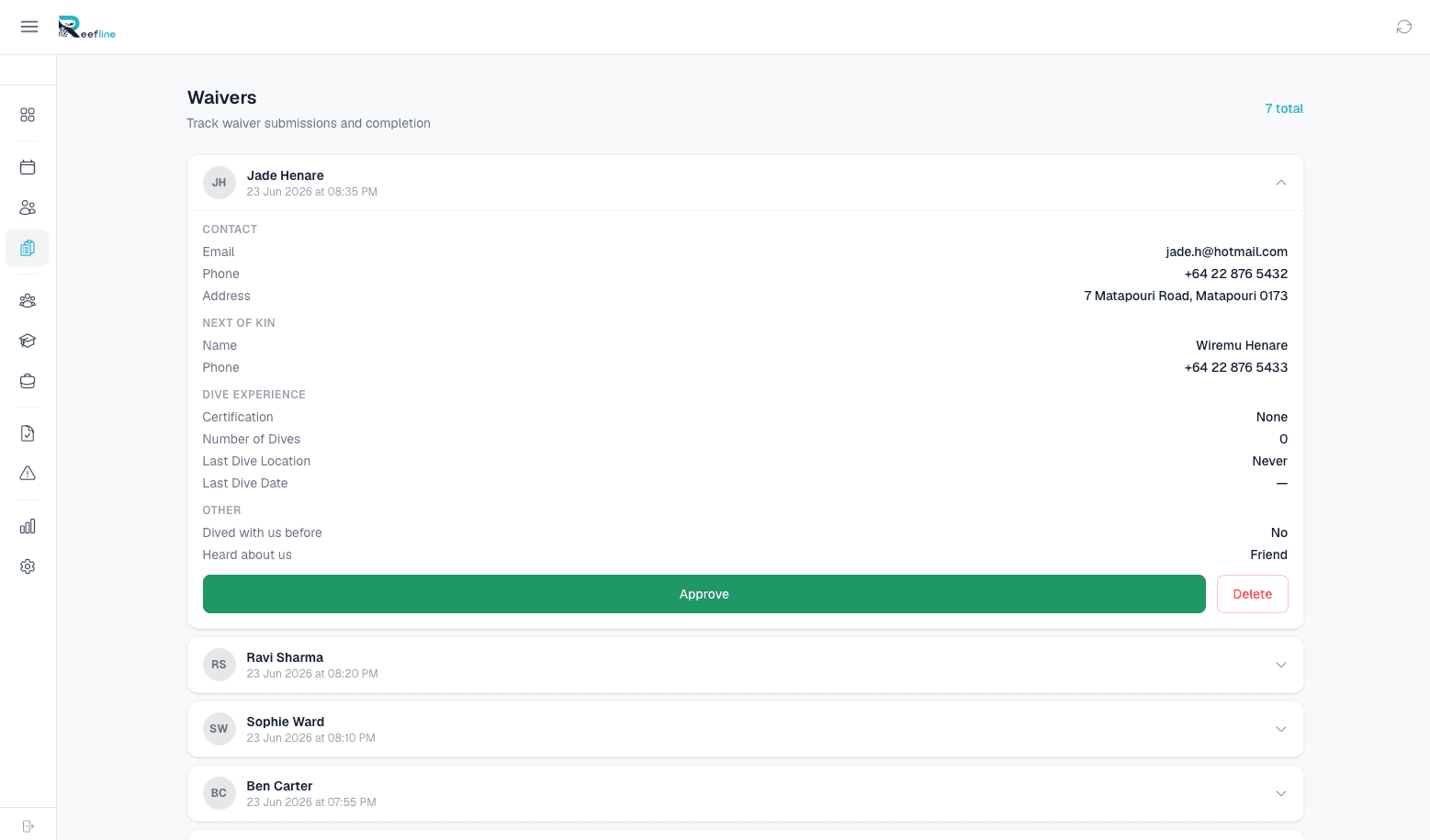
Every waiver lands in the admin panel -- searchable, filterable, and linked to customer records.
How it works
Set up a tablet at reception and let guests handle their own paperwork. Your staff stay focused on getting the boat ready.
Guest arrives
The guest walks up to the kiosk tablet at reception, enters their name and details, reads the waiver terms, and signs with their finger.
Photo and medical
The kiosk captures a photo and collects any medical declarations. The guest confirms everything and submits.
Linked and stored
Reefline matches the waiver to the guest's booking. Staff can see the signed waiver on the manifest. The record is stored permanently.
See the waiver kiosk in action.
We'll show you the full guest flow -- from walk-in to signed waiver -- and how it links to your manifest. Takes 10 minutes.
Book a Demo